Park it with LocalBox
Secure your domain name now and decide on hosting later.
- Free basic domain parking
- No website or mailbox setup required immediately
- Use LocalBox hosting later, or send new nameservers when you have another provider
Start your journey with LocalBox and Raspberry Pi.
Start with your own domain name.
LocalBox registers South African domains and can help with other domain requests.
After your domain is registered, your journey begins. Park your domain for free, or start hosting your first website and register your first email address. It is all up to you.
Secure your domain name now and decide on hosting later.
Try the app with LocalBox hosting first. When you are ready, LocalBox can help you move to your own Raspberry Pi cloud at home or work.
Enter your domain name. LocalBox can check .za domains, other supported domains, or create a free LocalBox subdomain so you can try the web builder. Read this first if you want to understand why LocalBox uses Raspberry Pi hardware.
Automatic domain registration is disabled at the moment. You can still search for a domain name and send us a request.
Register your domain first. After registration, check My domains for the next part of your journey: keep it parked for free or ask LocalBox to host it.
Your previous domain choice has been restored.
Use this if you need help choosing a domain, parking, or LocalBox hosting.
For .co.za domains, the current estimate is R150 for domain registration.
This is just for your domain registration and does not include hosting or email. Your domain belongs to you without provisos.
Start by securing your domain name. LocalBox parks it first, then you can leave it parked, send another provider's nameservers, or ask LocalBox to prepare hosting.
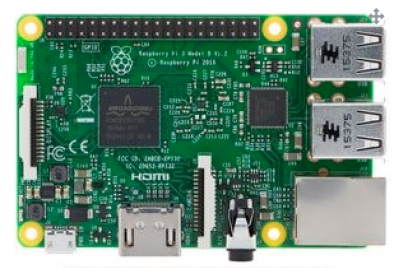
LocalBox uses small, low power Raspberry Pi hardware so a person, practice, group, or organisation can run useful online services without the cost, heat, noise, and power needs of a normal server. Read why LocalBox runs well on a Raspberry Pi.
Typically low current in normal use, with a 2.5A supply recommended for safe operation and connected USB devices.
A Raspberry Pi class setup does not need the same cooling as a desktop or rack server, and it can run quietly in a studio, school, office, clinic, or shared room.
The computer board is about the size of a bank card, so it can be placed in a small case, cabinet, or hosted shelf without needing a server room.
A Raspberry Pi 3 class board can cost under R1000 before storage, power, case, and setup, which keeps the starting point realistic for small hosted services.
The domain, email, website, and data can be managed for an artist, school, NGO, project, cooperative, clinic, church, company, or local group instead of being tied to one person's laptop.
The setup can use mounted storage and planned backups, making it easier to recover or replace the device than a large custom server.
These services are available after your domain decision, but they are intentionally secondary to registration.
Join the LocalBox waitlist for early access, product releases, setup notes, and useful guides.
Use this for questions from an artist, NGO, school, company, practice, local project, or support contact. We will try to answer any questions you may have; LocalBox is about people first.